In 2026, the dream of a fully automated apartment is no longer at odds with your security deposit. The “Smart Home” has matured into the “Portable Home.” Gone are the days of drilling into drywall or messing with high-voltage wiring to get a connected experience. With the arrival of Matter 1.5, smart devices have become truly “plug-and-play,” allowing you to build a sophisticated ecosystem that packs into a few cardboard boxes when your lease is up.
The “Apartment Standard” for 2026 is simple: if it takes more than 30 minutes to remove or leaves a permanent mark, it’s not renter-friendly.
1. Selecting the Hub: The Brain of Your Rental
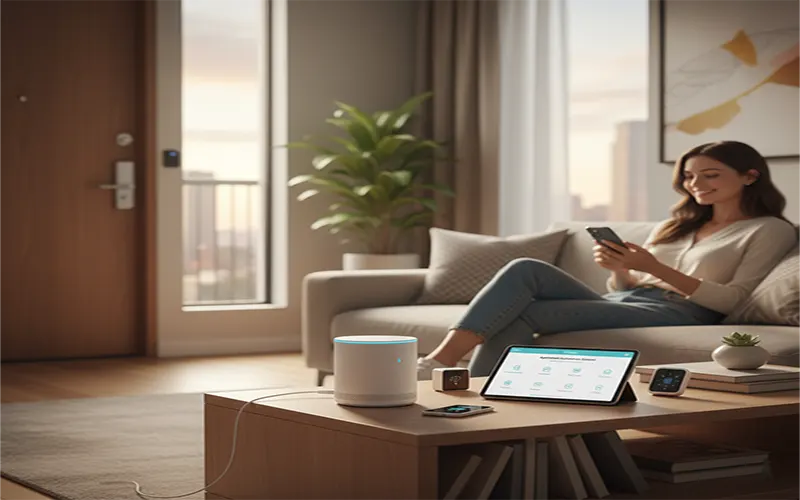
Your hub is the command center. In an apartment building, you face a unique challenge: Wi-Fi Congestion. With 50 routers screaming for bandwidth in your hallway, you need a hub that uses Thread. Thread is a mesh network that doesn’t clog your Wi-Fi and becomes more reliable the more devices you add.
The Top Hubs for 2026:
- The Privacy Choice: Apple HomePod mini or Apple TV 4K. If you are an iPhone user, this is the gold standard. It acts as a Matter Controller and Thread Border Router, keeping all your automation data encrypted and local.
- The Visual Choice: Amazon Echo Hub. Perfect for mounting on a wall with Command Strips. It gives you a sleek dashboard to control your lights and see your camera feeds without any hardwiring.
- The Power User Choice: Home Assistant Green. For those who want 100% local control with no cloud dependency. It’s a tiny, plug-in box that works with almost every brand mentioned in this guide.
2. No-Drill Security: Protecting Your Space
Landlords are famously picky about exterior cameras. Fortunately, 2026 technology offers “over-the-door” and “peel-and-stick” solutions that provide pro-level security without a single screw.
| Traditional Security | Renter-Friendly Alternative (2026) |
| Hardwired Doorbell | Ring Battery Doorbell Pro (with over-the-door mount) |
| Wired Entry Sensors | SimpliSafe / Aqara P100 (3M Adhesive backed) |
| Drilled Floodlight Cam | Reolink Altas PT Ultra (Solar/Battery on a gutter clip) |
| Deadbolt Replacement | Aqara Smart Lock U200 (Retrofit over existing lock) |
The “Over-the-Door” Secret
If your lease forbids mounting a doorbell to the doorframe, use an apartment door mount. This metal bracket wraps around the edge of your door and holds the camera securely. When you open the door, the bracket is inaccessible from the outside, making it theft-proof without needing a single drill bit.
3. Lighting Without the Rewiring
In a house, you’d replace the wall switches. In an apartment, you replace the bulbs.
- Smart Bulbs (Philips Hue / TP-Link Tapo): Simply swap your “dumb” bulbs for Matter-certified smart ones. In 2026, Tapo’s Matter bulbs are the budget favorite, while Philips Hue remains the king of color quality.
- The Wireless Switch Hack: To avoid the “Guest Problem” (where guests flip the physical wall switch and “kill” your smart bulbs), use a wireless remote dimmer. These look like standard switches but stick to the wall next to your existing ones using adhesives. You can program them to trigger scenes like “Movie Night” or “All Lights Off.”
4. Climate Control: The Renter’s Dilemma
Most landlords won’t let you swap the thermostat, but there are two ways around this in 2026:
- The Retrofit Strategy: The Nest Learning Thermostat (Gen 4) is designed for DIY installation. The Rule: Keep your old “dumb” thermostat in a labeled box. When you move, swap it back. It takes 10 minutes and preserves your deposit.
- Smart AC Controllers: If your apartment uses a window unit or a “Mini-Split” system, use a Sensibo Sky or Aqara Hub M3. These devices use Infrared (IR) to “mimic” your remote control, giving you phone and voice control over your AC without touching a single wire.
5. The “Neighbor Problem”: Interference and Privacy
Living in close quarters requires a bit of “Smart Home Etiquette.”
- Frequency Management: Use Matter over Thread whenever possible. Thread operates on a different frequency than standard 2.4GHz Wi-Fi, meaning your smart lights won’t struggle to connect just because your neighbor is streaming 8K video.
- Privacy Zones: Use the “Privacy Zone” feature in your camera app (now a standard in Matter 1.5 cameras). This allows you to digitally black out the neighbor’s door across the hall so your camera only records your specific entryway.
6. The 2026 Apartment Setup Guide
The “Studio Starter” (Budget)
- Hub: Amazon Echo Dot (5th Gen)
- Lights: 4x Tapo Matter Bulbs
- Security: Wyze Cam v4 (on a shelf)
- Total Cost: ~$150
The “Premium Privacy” (High-End)
- Hub: Apple HomePod mini
- Lights: Philips Hue Starter Kit
- Security: Aqara G3 Camera (Local AI + Privacy Shutter)
- Lock: Aqara U200 Retrofit
- Total Cost: ~$550
The Move-Day Advantage
The ultimate benefit of an apartment-focused smart home in 2026 is that your “investment” isn’t tied to the real estate. When you sign a new lease, your smart home moves with you. You simply unplug your hub, peel off your sensors, and your entire “Smart Haven” is ready to be redeployed in your next home in under an hour.