
For years, the smart home industry pushed a single narrative: if you want to keep your home safe, you have to pay a monthly “tax” to store your video in the cloud. But in 2026, the tide has turned. High-profile data breaches, “subscription fatigue,” and the desire for faster, lag-free performance have birthed a “Privacy First” movement.
Today’s most advanced smart cameras don’t need a connection to a distant server in Virginia or Silicon Valley to tell you who is at the door. By keeping your data local, you aren’t just saving $120 a year in fees; you are ensuring that your family’s private moments stay within the four walls of your home.
The Death of the Subscription
Why is the world moving away from cloud-only brands? It comes down to three pillars:
- Privacy: Local storage means no third-party employee or hacker can access your feed via a cloud vulnerability.
- Reliability: If your internet goes down, a cloud camera becomes a plastic paperweight. A local camera keeps recording to its internal drive or hub.
- Speed: Accessing a local 4K stream is nearly instantaneous because the data doesn’t have to travel to a server and back.
| Feature | Cloud Storage | Local Storage (2026) |
| Monthly Fee | $3 – $15/month | $0 |
| Privacy | Risk of cloud breach | Maximum (Data stays home) |
| Internet Dependency | High (No internet = No video) | None (Records offline) |
| Resolution | Often compressed to save bandwidth | Full 4K/8K uncompressed |
The Hardware Tiers: How to Store Video in 2026
Depending on your technical comfort level, there are three main ways to go “cloud-free.”
Tier 1: The MicroSD Method (Solo Cameras)
The simplest entry point. Many cameras now feature weather-sealed slots for high-capacity MicroSD cards.
- The Tech: In 2026, cameras like the TP-Link Tapo C120 or Reolink Altas PT Ultra support cards up to 512GB, enough for weeks of motion-triggered 4K footage.
- Best for: Renters or homeowners who only need 1 or 2 cameras.
Tier 2: The Hub Approach (The “Private Cloud”)
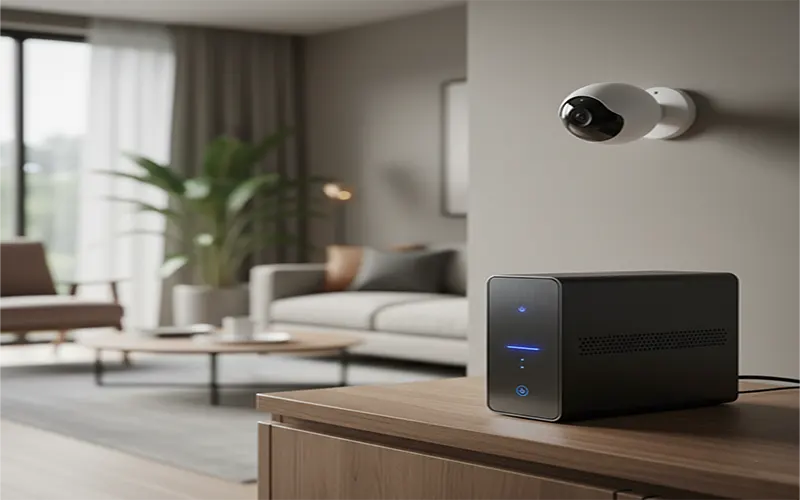
This is the most popular beginner-to-intermediate choice. You buy a system that includes a central hub located inside your house.
- The Tech: The Eufy HomeBase 3 is the gold standard here. It comes with built-in storage but allows you to slide in a standard laptop hard drive (SSD) to expand up to 16TB.
- The Benefit: The hub handles the “AI” (recognizing faces, pets, and cars) locally, so no video ever leaves your network for analysis.
Tier 3: The Pro Setup (NVR & NAS)
For those who want 24/7 continuous recording on 6+ cameras, a Network Video Recorder (NVR) is the only way to go.
- The Tech: You run Ethernet cables (PoE) to your cameras, which all plug into a “black box” (the NVR) in your closet. Alternatively, if you own a Synology NAS, you can use their “Surveillance Station” software to turn your existing file server into a world-class security station.
The Protocols to Look For: ONVIF and RTSP
If you want to be truly independent, you must look for two acronyms on the box: ONVIF and RTSP.
- ONVIF is the “universal handshake” that allows a Reolink camera to talk to a Lorex NVR or a Synology server.
- RTSP (Real-Time Streaming Protocol) allows you to “pull” a raw video feed into apps like VLC or Home Assistant.
If a camera doesn’t support these, it likely wants to “trap” you in a proprietary app. Avoid them if privacy is your goal.
Matter 1.3+ and the Rise of Local AI
The biggest change in 2026 is Matter’s expansion into video. Earlier smart cameras had to send video to the cloud because the camera chips were too weak to “think.”
Now, with Matter 1.3+ support, cameras use Edge AI. This means the camera itself has enough processing power to identify that a “Package was delivered” or a “Stranger is at the gate.” It sends only the text notification through the Matter standard to your phone, while the video stays securely on your local hard drive.
Top 2026 Camera Recommendations (No Subscription Required)
- Best Outdoor (Solar): Reolink Altas PT Ultra. A powerhouse that offers 4K continuous recording—even on battery/solar—to a local SD card.
- Best Indoor: Aqara Camera Hub G350. Not only is it a 4K camera with local AI tracking, but it also acts as a Matter controller for the rest of your home.
- Best Video Doorbell: Reolink Wired Doorbell. It supports PoE (Power over Ethernet) for maximum reliability and records to an NVR or SD card with zero lag.
- Best “Hybrid”: Apple HomeKit Secure Video (HKSV). If you already pay for iCloud+, you can use HKSV compatible cameras. The video is encrypted locally on your HomePod or Apple TV before being sent to Apple’s servers. Even Apple cannot see your footage.
The “Air-Gapped” Dream: Maximum Security
For the truly privacy-conscious, you can “Air-Gap” your cameras. By using your router settings to block a camera’s IP address from accessing the internet, you ensure the camera can only talk to your local NVR or Hub.
You can still see your cameras on your phone while you’re at home, and if you have a secure VPN (like WireGuard) on your router, you can “tunnel” back into your home from anywhere in the world to see your feeds without ever touching a third-party cloud.
Why “Local is Legal”
In 2026, the conversation around smart homes has shifted from “What can this do for me?” to “Who else is watching?” By choosing local storage, you regain ownership of your data. You eliminate the “subscription rot” that eats away at your monthly budget, and you ensure that your security system works even when the world goes offline.
Privacy isn’t a feature you should have to pay for—it should be the default. With an NVR, a large hard drive, and Matter-compatible cameras, you can finally have a smart home that is as secure as it is intelligent.